
Your AI workspace. On your computer.
Work with documents, draft text and write code using AI models on your Windows PC or Apple silicon Mac. Free for personal and work use: download it, then follow the short getting-started video.
InRag is a separate product. Models download separately. Web search needs internet access; connected services need access to their configured servers.
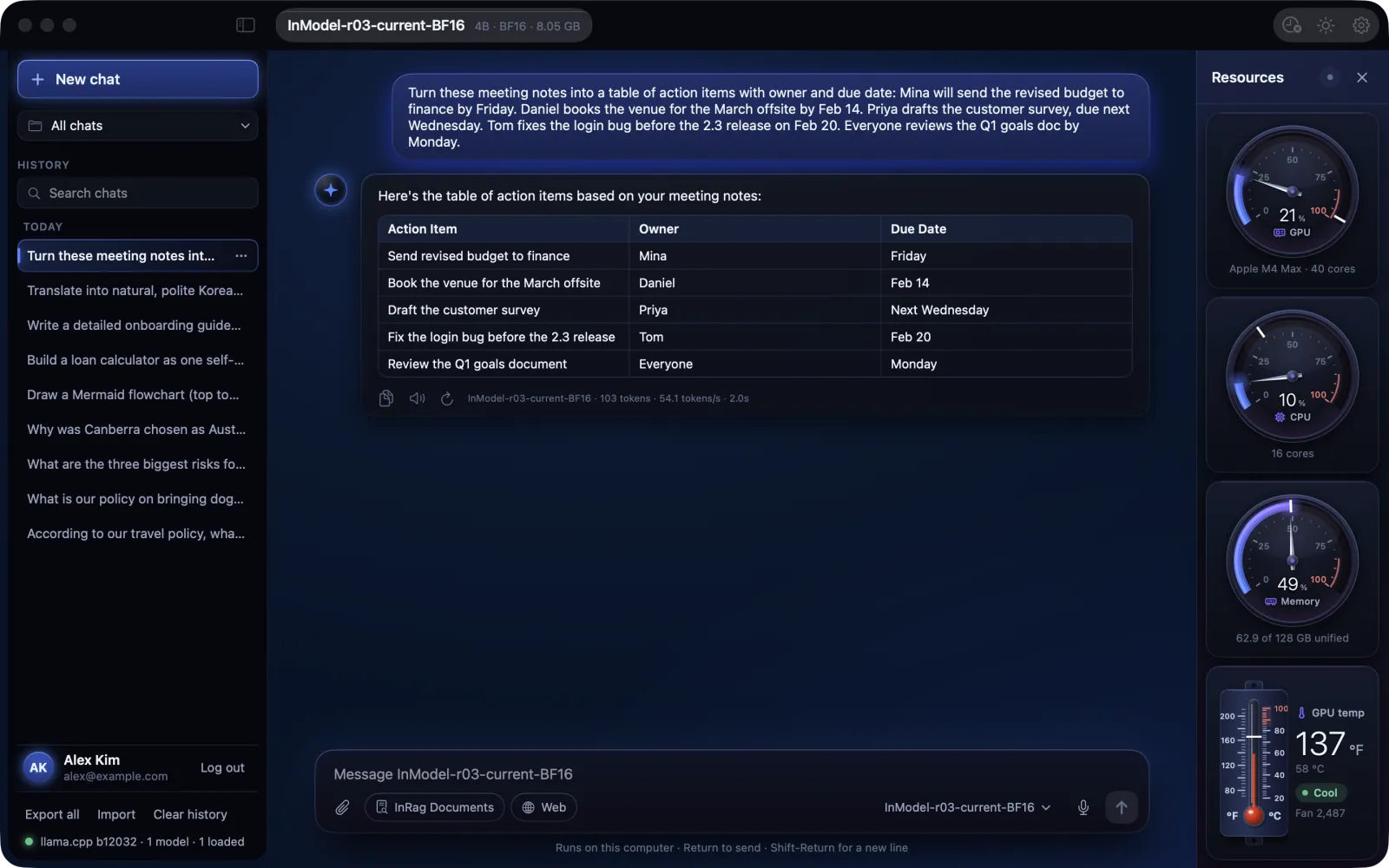
Use a model on your computer
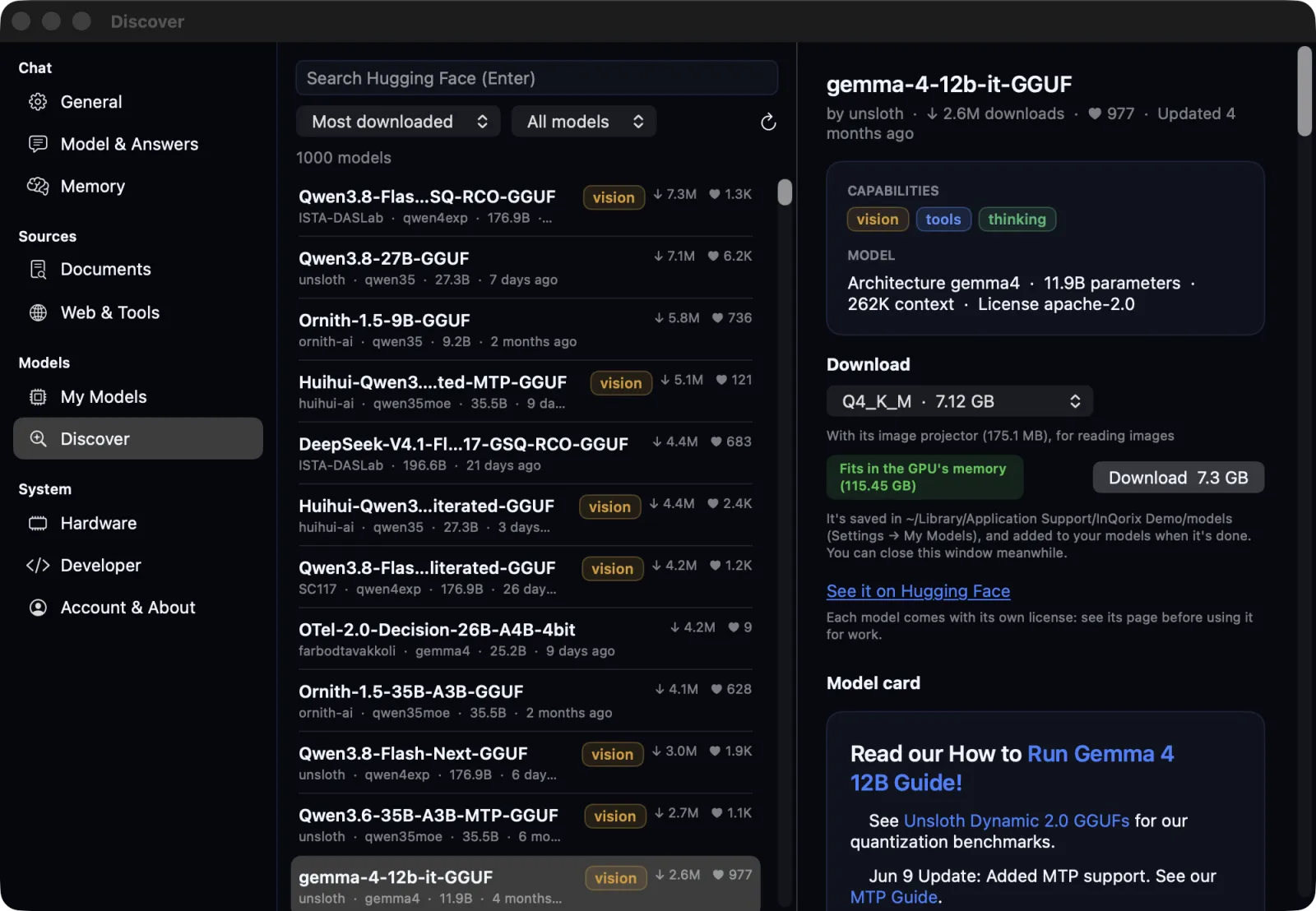
Pick a compatible model in Discover, or reuse compatible models Ollama or LM Studio already downloaded. Chat with a local model works offline.
Turn files into useful work
Summarize supported attachments, draft text, and build tables, charts and code. Answers from the web or your documents list their sources so you can check them.
See your hardware at work
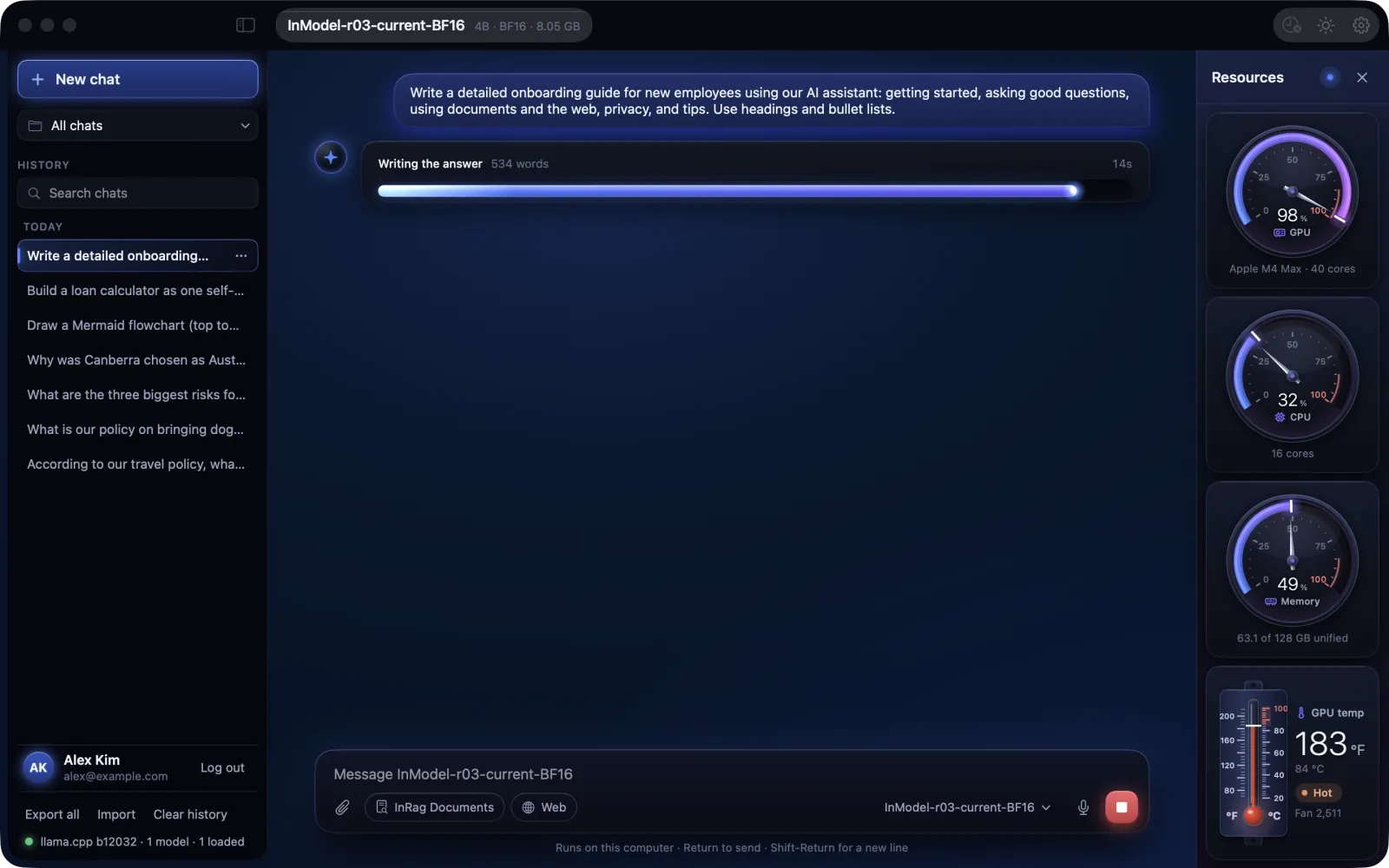
Discover shows whether each model size fits your computer before you download it, and live gauges show GPU, processor, memory and, where available, GPU temperature.
How InQorix compares
Several good tools run AI models on your own computer. Here's where InQorix fits, as of November 2026.
| InQorix | LM Studio™ | Ollama™ | Open WebUI™ | Perplexity™ | |
|---|---|---|---|---|---|
| Price | Free, for personal and work use | Free, for personal and work use; paid plans for its Bionic agent app L1 | Free on your computer; paid cloud plans O1 | Free, self-hosted; branding terms above 50 users W1 | Free plan; Pro from $17/month, billed annually P1 |
| Runs models on your computer | Yes, engine built in (llama.cpp; MLX on Mac) | Yes (llama.cpp; MLX on Mac) L2 | Yes (MLX on Apple silicon in preview) O2 | Through a connected engine; its desktop app can add llama.cpp W2 | No, cloud only P2 |
| Install | Desktop installer | Desktop installer | Desktop installer (Mac, Windows); command line on Linux O3 | Server (Docker, pip) or desktop app (v0.1, 2026) W2 | Web, desktop and mobile apps |
| Cited web search, no account or API key | Yes: Wikipedia, DuckDuckGo, or your own SearXNG | Through plugins (MCP); limited web search in Bionic's free plan L3 | Needs a free Ollama account O4 | Keyless DuckDuckGo option, enabled by an admin W3 | Yes, in the cloud |
| Answers from your documents, with sources | Single files in the free app; document collections with InRag, on your own server | Document chat, offline L4 | Attach text and PDF files; no document index O3 | Built in, with citations W4 | Yes; files go to Perplexity's cloud P3 |
| Says when your documents don't have the answer | Built to say so, with sources to check | Not documented | Not documented | Not documented | Not documented |
| Shows whether a model fits before you download it | Yes, for every size in Discover | Memory estimates and a warning before loading L5 | Not documented | Not documented | Not applicable |
| Live hardware gauges | GPU, memory, processor and GPU temperature (graphics memory on Windows) | Memory estimates L5 | Not documented | Not documented | Not applicable |
| Run code and preview results | JavaScript and Python; HTML, SVG and Mermaid previews | JavaScript/TypeScript sandbox plugin L6 | Not documented | Python and artifacts; terminal sandbox W5 | Document and app creation, in the cloud P1 |
| Platforms | Windows 11 (x64), Apple silicon Macs | Mac, Windows, Linux L8 | Mac, Windows, Linux O3 | Any browser (server); desktop app for Mac, Windows, Linux W2 | Web, Mac, Windows, mobile |
| For teams | InRag document search (by demo) and a shared company model server | Headless server, LM Link, enterprise plans L7 | Team plan (cloud, early access) O1 | Multi-user server with roles W4 | Enterprise plans (cloud) P3 |
Compared November 21, 2026, from each product's own website and documentation. Products change often: tell us if something is out of date at info@magicsoft.com. LM Studio™ (Element Labs, Inc.), Ollama™ (Ollama Inc.), Open WebUI™ (Open WebUI, Inc.) and Perplexity™ (Perplexity AI, Inc.) are trademarks of their respective owners. Magicsoft isn't affiliated with or endorsed by them.
In detail: InQorix and LM Studio · InQorix and Ollama · InQorix and Open WebUI · InQorix and Perplexity
Sources
- L1: lmstudio.ai/pricing
- L2: lmstudio.ai/docs/app
- L3: lmstudio.ai/pricing; MCP support since LM Studio 0.3.17
- L4: lmstudio.ai/docs/app/basics/rag
- L5: lmstudio.ai/blog/lmstudio-v0.3.27
- L6: lmstudio.ai/lmstudio/js-code-sandbox
- L7: lmstudio.ai/blog/0.4.0
- L8: lmstudio.ai/docs/app/system-requirements
- O1: ollama.com/pricing
- O2: ollama.com/blog (MLX preview, March 2026)
- O3: ollama.com/blog/new-app
- O4: docs.ollama.com/capabilities/web-search
- W1: docs.openwebui.com/license
- W2: github.com/open-webui/desktop; docs.openwebui.com/getting-started
- W3: docs.openwebui.com/features (web search providers, including DuckDuckGo)
- W4: docs.openwebui.com/features
- W5: docs.openwebui.com/features (code execution and artifacts)
- P1: perplexity.ai/enterprise/pricing
- P2: perplexity.ai/comet
- P3: perplexity.ai/enterprise
What's free, and what needs a service
InQorix is free. Some features connect to a service that someone sets up separately.
| Capability | Free InQorix | Needs a separately set-up service |
|---|---|---|
| Local chat, supported attachments, projects, history | Yes, with a compatible model | No |
| Run code; preview HTML, SVG, charts and diagrams | Yes | Python packages may download; generated pages can make network requests |
| Cited web search | Yes | Internet; Wikipedia, DuckDuckGo or your own SearXNG server |
| Search collections of documents | InRag client built in | An InRag server (available by demo) |
| Answers from a company model server | Client built in | A server, a compatible model and an administrator |
Attaching a file to a question works in the free app. Searching a whole set of documents needs InRag.
From download to first answer
Watch the getting-started video, or follow the four steps below.
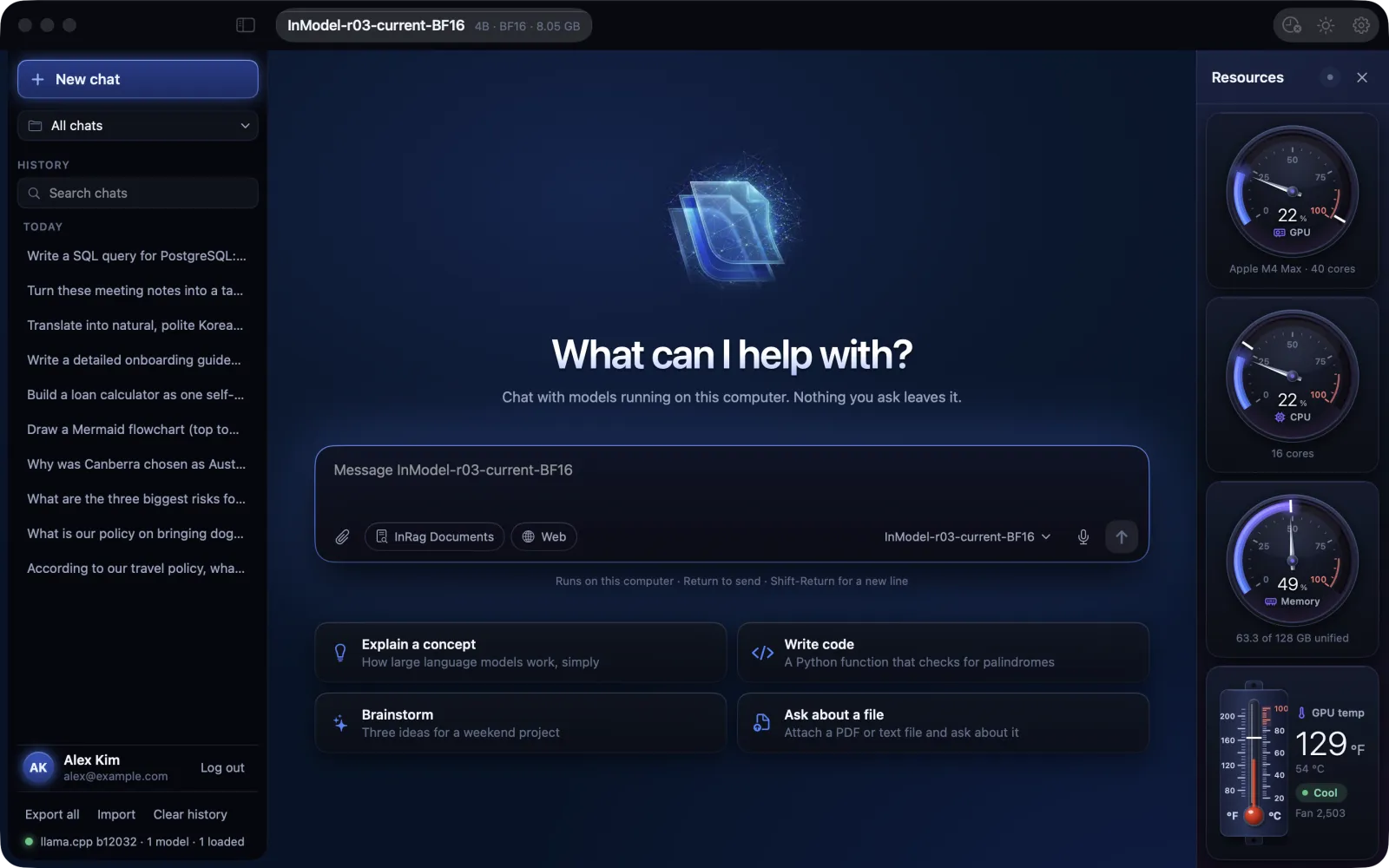
- 1
Install InQorix
Download the build for your computer and run the installer.
- 2
Create your local account
It stays on this computer and keeps each person's chats and settings separate. No verification email is sent.
- 3
Choose a model
Download InModel, Magicsoft's starter model, in the size for your computer, or pick a compatible model you already have. The app shows the download size first.
- 4
Try an example
Copy one of the example questions from the guide: a web search with sources, a small app with a live preview, or a diagram.
Three things people do with InQorix
Summarize and organize
Attach meeting notes, a report or a spreadsheet and ask for what you need: an action table, a summary, a draft reply. The model reads the file on your computer.
Word, Excel, PowerPoint and scanned-PDF attachments are read on Windows today. Images need a model that can see them.
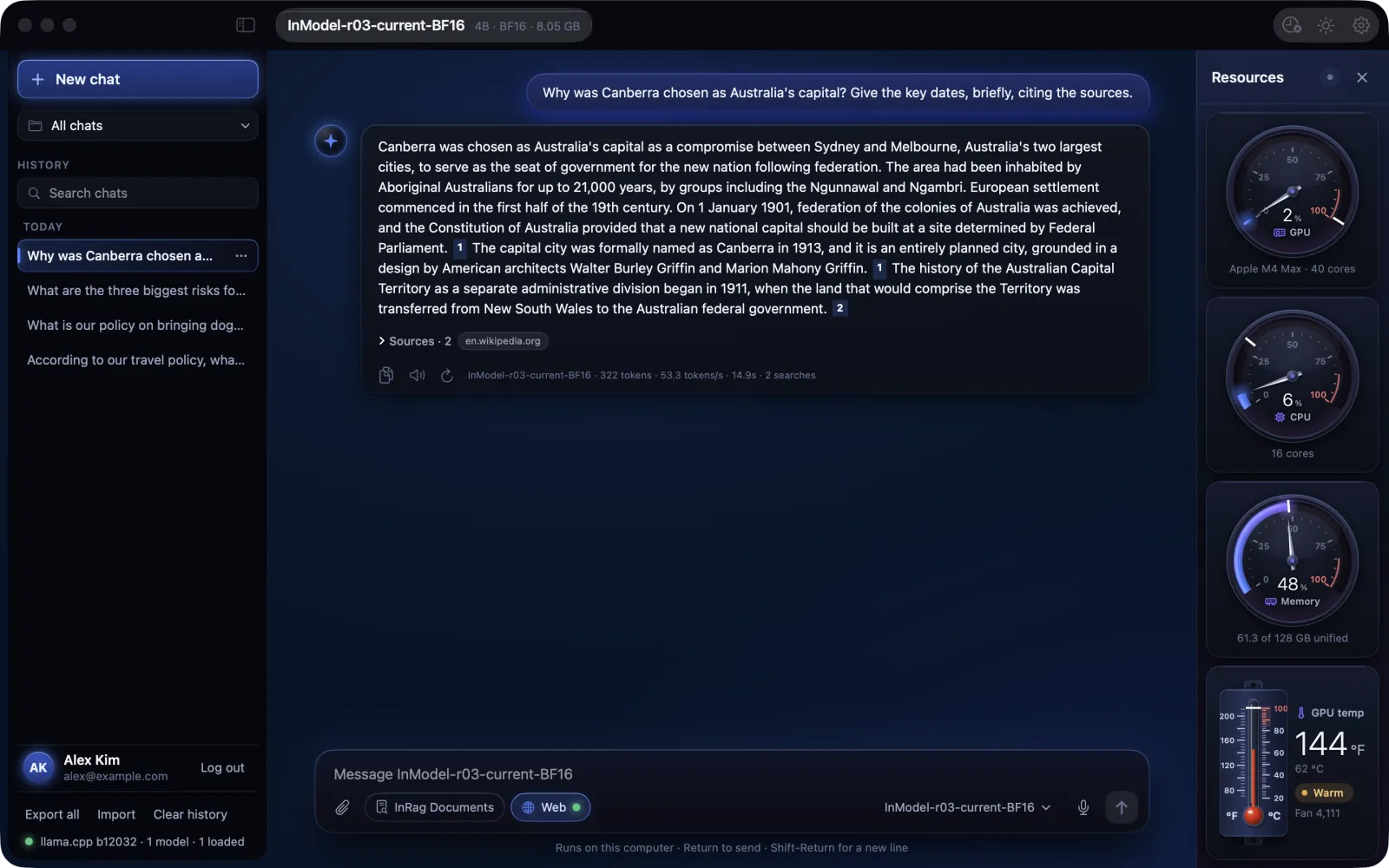
Build and preview
Ask for a loan calculator with a payment chart, a diagram of a process, or a small web page. InQorix runs JavaScript and Python and shows HTML, SVG, charts and Mermaid diagrams beside the chat.
Code runs on your computer and can reach the network. Run only code you understand.
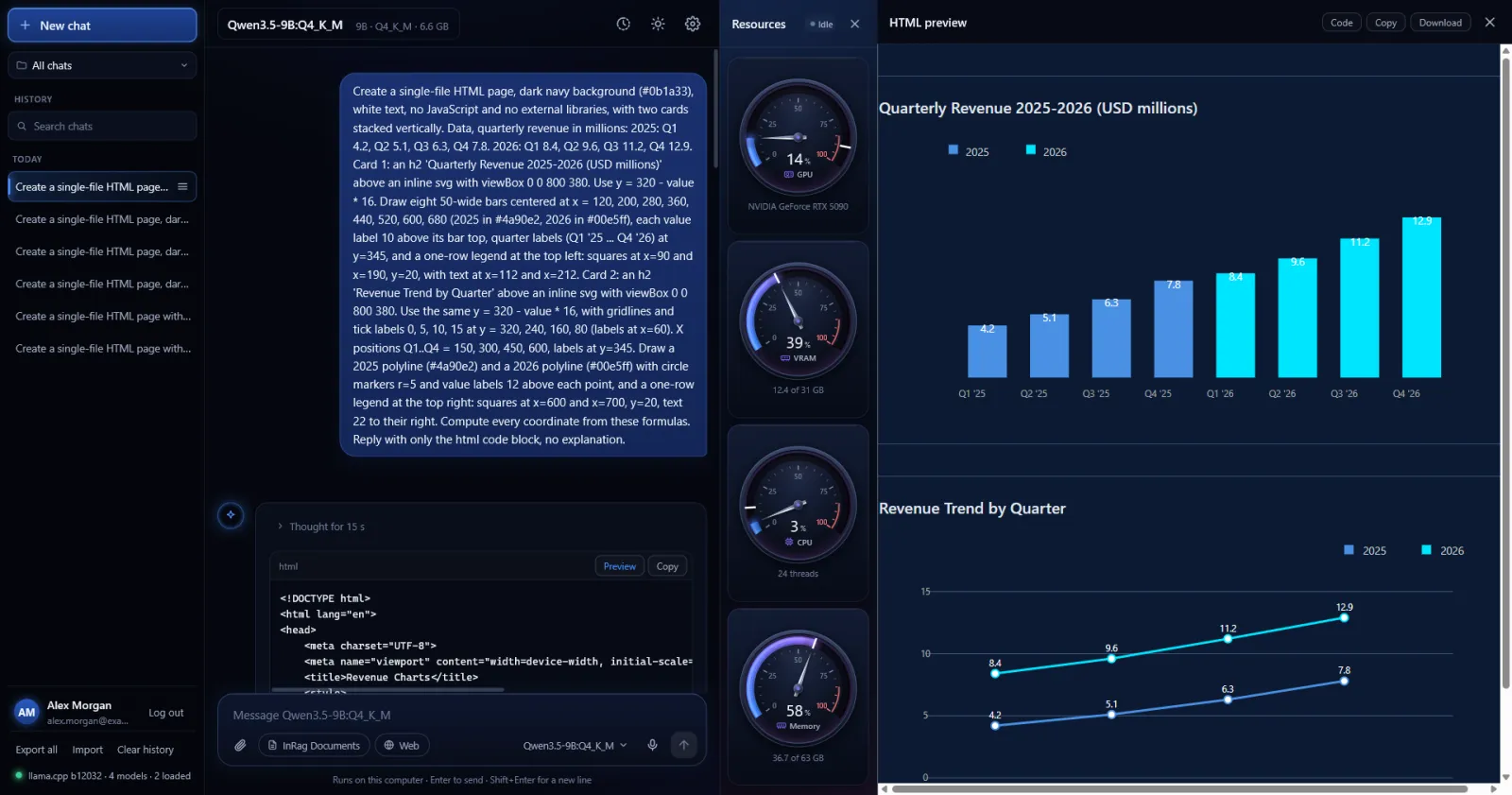
Check your organization's sources
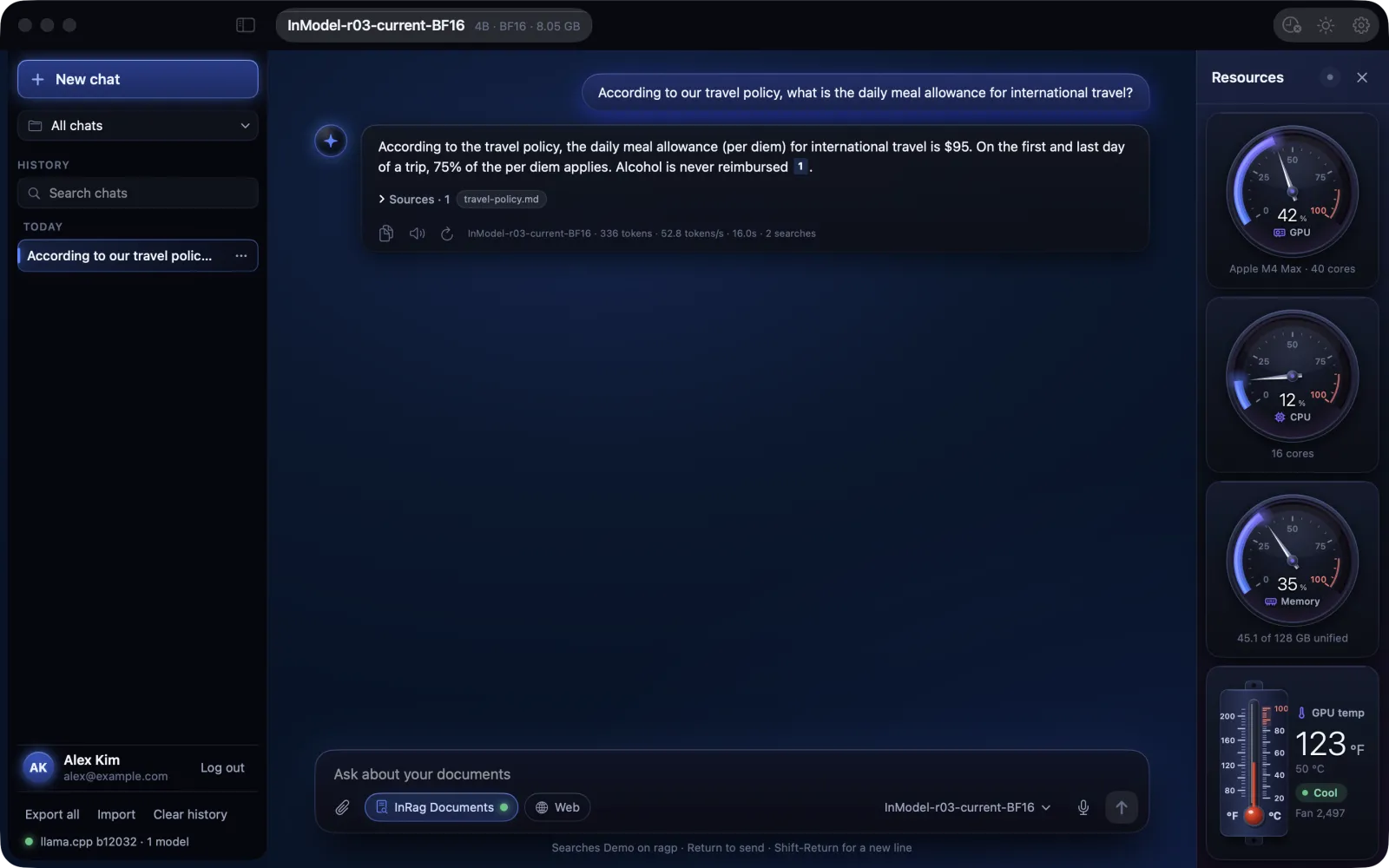
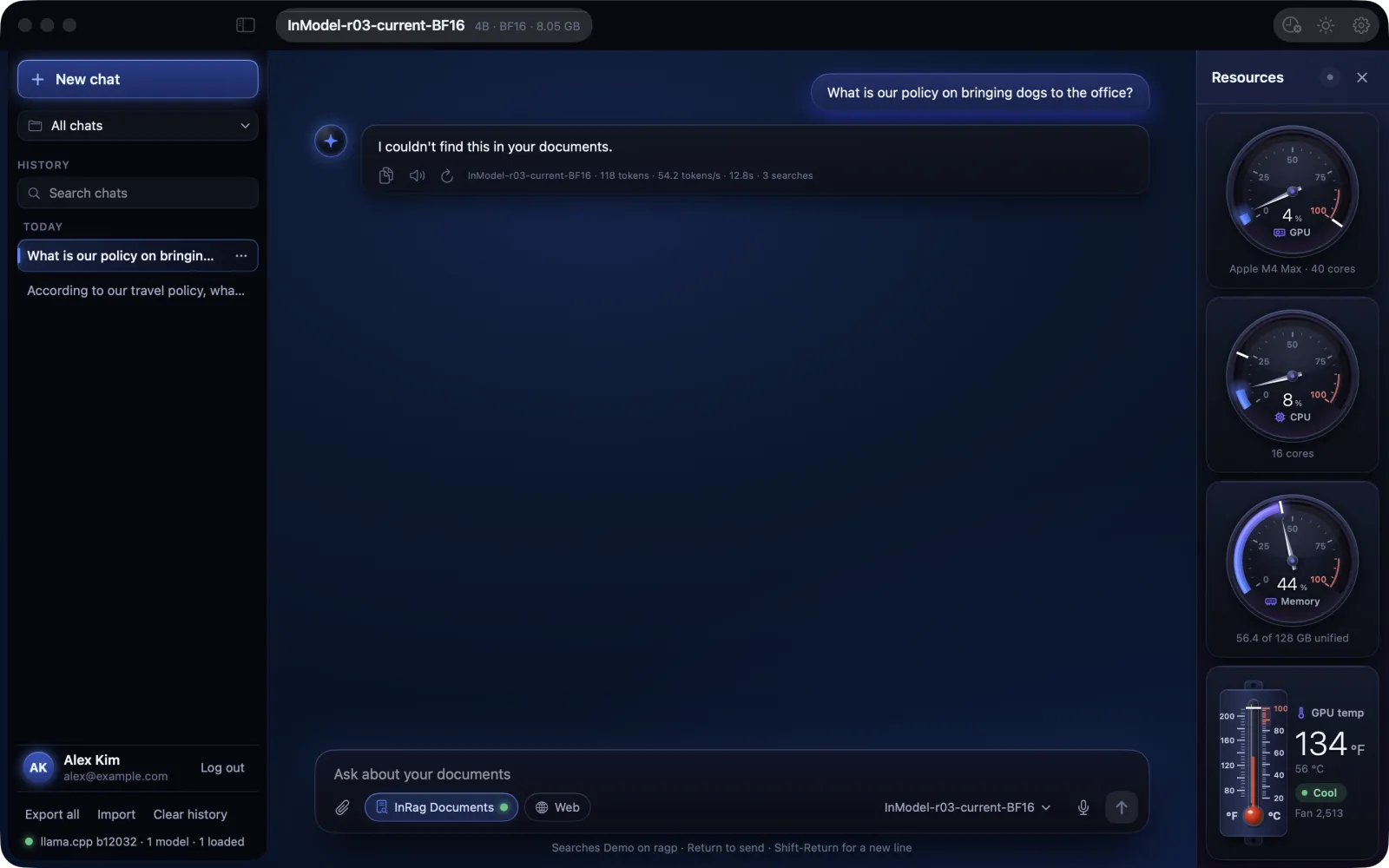
Connected to InRag, InQorix answers from your organization's policies and procedures and lists the passages it used. If the documents don't have the answer, it says so instead of guessing.
Needs an InRag server, available by demo.
Answers from the documents your team works with
Connect InQorix to InRag to search your organization's policies, procedures and other documents, and check each answer against the passage it came from. InRag runs in your environment, with the model setup your organization approves.
InRag is available by demo ahead of its public launch.

What stays on your computer
With a local model and online features turned off, chat runs on your computer. Web search sends your search terms to the search services you enable. A company model server receives the conversation it needs to answer. InRag receives document-search requests. InQorix sends no analytics. Check your settings before working with sensitive information.
Will it run on my computer?
- Windows 11, 64-bit (x64). The installer is signed by Magicsoft Corporation and adds the Microsoft WebView2 Runtime if it's missing.
- An Apple silicon Mac (M1 or later) on macOS 14 or later. The Mac version is signed and notarized by Apple.
- 16 GB of memory recommended. Discover shows which model sizes fit your computer.
- Not supported: Windows 10, Windows on ARM, Intel Macs, Linux.
Questions
What's free, and what needs InRag?
InQorix is free under its license, for personal and work use. Searching collections of documents needs an InRag server, which is available by demo.
Can I work with a file without InRag?
Yes. Attach it to a question, and the model reads it for that answer.
Which computers and models are tested?
Windows 11 (64-bit) and Apple silicon Macs on macOS 14 or later. The starter model is InModel; its tested sizes and download sizes will be listed in the guide when release testing is complete. Discover shows whether any other model fits your computer.
What works without internet, and how do I turn Web off?
Chat with a downloaded local model works offline. Web search, Discover, InRag, company servers and some Python packages need a connection. Web starts off; turn it on or off with the Web button under the message box.
How do I stop the hardware gauges from running all the time?
Go to Settings → Hardware and turn off Monitor the hardware all the time. The gauges then read only while an answer is being written and show a dash in between. To hide them completely, click the panel's × or turn off Show the gauges beside the chat on the same page. Place the gauges moves them to the right, bottom, left or top of the chat.
Why does a desktop app ask me to create an account?
It's a local profile on this computer that keeps each person's chats and settings separate. No verification email is sent, and creating a profile doesn't send its details to Magicsoft. A profile isn't a security measure: anyone who can use the app under the same computer login and knows a profile's email can reset its password. Use your computer's own login to protect sensitive work.
Can answers with sources still be wrong?
Yes. Any AI model can make mistakes. Sources let you check the passage an answer came from; verify important answers, such as figures, dates or contract terms.
Is my data used to train AI models?
InQorix doesn't automatically send Magicsoft usage analytics or chat content. If you connect to a Magicsoft-operated service (for example, an InRag demo server), the information that service needs reaches Magicsoft under its terms. Whether a connected service keeps or trains on data depends on that service's own policy.
Where is my data, and how do I remove it?
Your chats, settings and accounts are stored in your user folder on this computer; the guide lists the folders for each platform. Uninstalling InQorix never touches Ollama or LM Studio model libraries. Export your chats first (Export all in the sidebar) if you want to keep them.
Why is it version 0.7?
InQorix 0.7 is an early release: it's tested and ready for everyday use, and it will keep improving on the way to 1.0. Tell us what you need.
How do I update and get help?
InQorix tells you when a new version is out: it checks once a day (you can turn this off in Settings → Account & About), and its Download button opens the download page. New versions are also listed in the release notes. For help, email support@magicsoft.com; in the app, Settings → Account & About → Copy details copies your app details for that email. We reply within two business days.
Is there a video that shows how to start?
Yes. The getting-started video walks through installing InQorix, creating your local account, choosing a model and asking a first question. The getting-started guide has the same steps in writing.
Try InQorix free
Free for personal and work use. Up and running in a few minutes.